
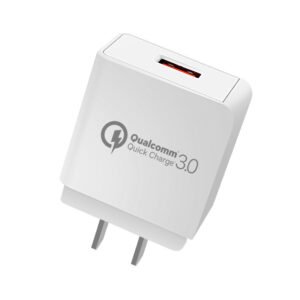
PHONE CHARGERS
Why Your Next Charger Matters More Than You Think
In my years of dealing with countless mobile and smartphone devices, one thing stands out: a good charger can quietly save your entire day. Whether you’re rushing between meetings, stuck on a long car ride with kids, or just trying to keep your battery full at home, running out of power at the wrong moment feels incredibly inconvenient — trust me, I’ve been there more times than I’d like to admit. That’s why looking for the right charger isn’t just about replacing a lost one; it’s about making sure your phone stays charged, your lives stay connected, and you avoid that sinking feeling when the screen goes dark. The options out there today are many and wonderfully varied, so it really does depend on how you use your device and what fits your routine best.
The first step is always to ensure you get something compatible with your phone. Apple fans usually stick with lightning cable or the slick magsafe system that magnetically snaps on, while Samsung, HTC, or other Android users often lean toward micro-usb, usb-c, or even fast-charge setups that juice up the battery in no time. I’ve personally switched to usb-c across most of my gadgets because it’s so much more universal now, but I still keep a spare lightning cable handy for older iPhone and iOS devices. Beyond the basic wall plug or plugs, you can find power adapter styles, multi-port hubs that charge several things at once, tangle-resistant cable that actually last, and surge protection built in so you don’t worry about storms frying your gear. Then there are the game-changers like wireless charging — pad, stands, or docks that let you drop your phone, smartwatch, or even earbuds on them without fumbling for wires.
For on-the-go moments, nothing beats a solid portable power banks or a car charger that keeps everything topped up while you’re moving. Whether you need fast speeds, something suitable for individual makes, or just extra boost when your huge reliance on your phone starts showing, the available choices really do give you the freedom to stay powered wherever life takes you
Apple iPhone Charging Made Simple
If you’ve got an iPhone from generations from iPhone 5 onwards, you already know the lightning cable is the one that keeps your phone alive. I’ve used every version of Apple devices over the years, and honestly, once you understand the connection part, choosing the right setup stops feeling like a puzzle. The real question most people miss is: what are you actually plugging into? A lot of folks still have an older power adapter with a classic usb port, so they grab a usb to lightning cable and it works perfectly. But newer laptops, fast chargers, and even some computer ports have switched to usb-c, which means you’ll want a usb-c to lightning cable instead to get the best charging speed and reliability.
Both types are widely available, so before you buy, just check your existing adapter, wall plug, or computer port to see which end it has. That small step saves so much frustration—I’ve learned this the hard way after grabbing the wrong one during a late-night airport panic more than once. Whether you’re an everyday user who just needs steady charge or someone who wants faster power, picking the matching cable keeps everything smooth and your iPhone ready whenever you need it.
Picking the Perfect Samsung Charger
When you’re out in the market for a new Samsung phone charger, the smartest move isn’t just grabbing any cable — it’s first figuring out exactly which type of connection your particular phone uses so you get the right one that actually works. I’ve helped friends and swapped chargers myself more times than I can count, and the biggest headaches always come from mixing up newer and older models. Almost every Samsung phone built in recent years comes with a clean usb-c connection, while plenty of older ones still rely on the trusty micro-usb port. If you’re ever unsure, just head into your settings, tap about phone, and it usually tells you straight away — that quick check has saved me buying the wrong cable at least three times.
The cable is only half the story though; the real magic happens when you pair it with a charger that can handle what your phone is capable of. Samsung devices support a range of power levels, from standard charging all the way up to seriously quick fast and superfast speeds, so always take a peek at your product spec for the compatibility details before you decide. You can find different power levels available these days, including some best-in-class options that make a noticeable difference when you’re plugging into the wall and need your battery topped up in a hurry. Whether you’re dealing with an everyday Samsung or an older one, thinking through both the connection and the charging power thing ensures you end up with something that truly matches and performs the way you expect.
Life Without Wires: Wireless and Portable Options
These days, I hardly ever reach for a regular plug when I’m out — power bank battery packs have become my go-to life saver more times than I can count. Whether I’m stuck at a festival for the whole weekend, running around on a busy day, or just constantly on the go with no wall outlet in sight, having a portable power bank means I can charge my phone anywhere without needing to connect to anything fixed. They’re small enough to slip into a pocket or bag, and I’ve relied on them during long trips or when I’m completely off grid — no computer, no regular socket, just pure backup charging power whenever the battery starts dropping.
What really changed things for me though is wireless chargers — they’ve gone from a nice-to-have to something many people find downright convenient. Most new phones are now supporting the technology, so you can just drop your device on a pad and walk away instead of fumbling with cables every time. Aside from the classic plugging into a wall or computer, this alternative to wired charging feels so much cleaner and quicker for everyday use. I keep one on my desk and another in the car because being able to charge while I move or multitask is honestly perfect for those of us who hate dealing with tangled cords.
Increasingly popular, both wireless chargers and portable battery packs give you that freedom to stay powered up no matter where life takes you.
Charging options
Phone Charger
The Everyday Way Most Phones Get Charged
Back when I first started carrying a mobile phone and even a small PDA around, the setup was almost always the same, and honestly it still feels like the most reliable routine today. Nearly most charger and chargers for these devices come with a usb port that lets you connect straight to your phone, while the other end gets plugged into a wall socket. That simple design turned out to be a very common way to keep things running because you can just plug it in and leave the phone to charge quietly without babysitting it.
What I love about this method is how flexible it really is — you can drop it anywhere in the house, whether that’s beside the bed, on the kitchen counter, or even in the living room, and it just works. It means you never have to hunt for a special spot or deal with weird adapters most of the time; the charger does its job as long as there’s a power outlet nearby. Over the years I’ve tried fancier options, but I keep coming back to this basic charging setup because it’s so straightforward and dependable for daily use.
Keeping Your Phone Alive on the Road with Car Chargers
One thing I’ve learned from years of long drives and unexpected delays is how quickly a phone or even an old PDA battery can drop to low when you’re away from home — that’s exactly why a solid car charger has saved me more than once. These chargers are smartly designed to connect straight to your car’s cigarette lighter socket, so you just plug it in and it starts charging easily and safely without any complicated setup. Whether you’re on a long journey, stuck in traffic, or just running errands all day, the charger keeps your phone powered up as you go, which means no more stressing about getting a dead battery right when you need directions or to make a call. I always keep one in the glovebox because it usually works the moment you need it, turning what could be a hassle into something simple and reliable.
Why a Good Dock Makes Charging So Much Easier
One thing I’ve noticed after trying out tons of charging setups is that mobile phone docks really stand out when you want your device to charge neatly without taking up desk space or looking messy. These freestanding dock designs let your phone sit comfortably while it gets powered up, almost like it’s on display instead of just lying flat with a cable dangling. The dock itself stays connected either straight to a wall socket for steady power or via a usb port on your laptop or pc, giving you that flexibility depending on where you’re working. I started using one years ago on my desk, and it quickly became a favorite because it keeps everything tidy and my phone stays upright so I can still see notifications at a glance.
What trips most people up though — and I’ve made this mistake myself early on — is that the charging port on each phone sits in a different place, so grabbing just any dock usually ends in frustration when it doesn’t line up properly. That’s why it’s very important to get the right one made for your specific model; once you do, it feels effortless. Then they can hold steady while charging, no wobbling or constant readjusting, and you avoid the hassle of fumbling around every time the battery needs a top-up.
FAQs
What exactly is fast charging?
Look, I’ve been through a ton of phones, and fast charging is a game-changer—most modern handsets zip your battery up to 50% in around 30 minutes or even quicker, depending on the model. That’s like 70% faster than the old-school 5W trickle. But to hit those speeds, grab a handset that’s compatible, a charger pumping over 18W, and the right cable like USB-C to Lightning or USB-C to USB-C. Heads up: Apple and most Samsung phones don’t toss one in the box anymore, so snag yours when you’re picking up the device—trust me, you’ll thank yourself later.
How does a wireless charger actually work?
It’s pretty cool and straightforward. A wireless phone charger uses electromagnetic induction—there’s a coil in the charging base that sends out energy, and a tiny one in your phone catches it, turning it straight into battery juice. The big standard here is Qi (say “chee”), which pretty much every major mobile phone supports, from Apple iPhone to Samsung, Google Pixel, and Nokia. No fuss, just works.
How do I use a wireless charger without any hassle?
Super simple, even for tech newbies like I was at first. Plug the charger into a power outlet, set it on a flat spot, and drop your phone face up on top. It should kick in within seconds—if not, just nudge it around a bit. Most phone cases won’t block it, but thick leather or metal ones? Might need to pop ’em off. I’ve forgotten that more times than I’d admit.
Will a wireless charger wreck my phone’s battery?
Nah, that’s just an old myth floating around. Wireless won’t make your battery degrade faster than a wired one—sure, it runs a tad warmer, but smart tech dials it back to keep things safe. To get that official Qi stamp, chargers have to handle heat by slowing down if needed. I’ve used ’em daily for years; my batteries are fine.
What’s the deal with a MagSafe charger?
Apple’s MagSafe charger is their magnetic take on wireless magic. Starting with iPhone 12 and newer, there’s a magnet ring under the coil that snaps perfectly to accessories like these chargers, lining up for quicker, smoother power. It’s fully Qi-certified too, so your iPhone works with regular Qi pads, and other wireless-ready phones can use MagSafe—just without the magnetic pull. Snaps right on, no fumbling—love it for on-the-go.